AI presentation makers promise to turn a prompt or document into a polished slide deck in minutes. That sounds useful until you download the result and discover that the text needs rewriting, the design is difficult to customize or the PowerPoint export no longer looks like the original.
The best AI presentation maker is not necessarily the one that creates slides fastest. It is the one that leaves you with the least unusable work afterward.
Gamma, Canva, Beautiful.ai and Plus AI approach that problem differently. Gamma prioritizes rapid, web-native creation. Canva combines AI with an enormous design library. Beautiful.ai uses structured layouts to keep business slides consistent. Plus AI works inside PowerPoint and Google Slides instead of moving you into another presentation platform.
This comparison examines their generation workflow, editing freedom, branding, collaboration, free access and what happens when your presentation must leave the original tool.
If your source material still needs researching before it becomes a presentation, our comparison of the best AI research tools can help you build a more reliable starting document.
Table of Contents
The Short Answer
Gamma is the best starting point for someone who wants to turn an idea into an attractive presentation quickly and is comfortable presenting through a link, PDF or Gamma itself.
Canva is the better choice when you want a large template and asset library, extensive visual control and one platform for presentations, graphics, videos and social content.
Beautiful.ai is strongest for structured business decks where consistent spacing, alignment and branding matter more than unrestricted design freedom.
Plus AI makes the most sense when the finished presentation must remain inside PowerPoint or Google Slides. It gives up the separate web-based canvas used by Gamma and Beautiful.ai in favor of working in the presentation apps many businesses already use.
There is no universal winner:
- Choose Gamma for rapid generation and web-first presentations.
- Choose Canva for templates, assets and creative editing.
- Choose Beautiful.ai for controlled, consistent business layouts.
- Choose Plus AI for a native PowerPoint or Google Slides workflow.
Gamma vs Canva vs Beautiful.ai vs Plus AI
How We Compared These AI Presentation Makers
This comparison is based on the products’ current documented capabilities, plan limits, editing workflows, export options and the practical decisions a user must make before paying.
It does not treat a vendor’s polished demonstration as proof that every generated deck will be presentation-ready. AI output depends heavily on the source material, prompt, chosen layout and amount of information placed on each slide.
We compared the four tools using the questions that matter after the first generation:
- Can it create a useful outline from a prompt or document?
- Can individual slides be edited without rebuilding the deck?
- Can the presentation follow a brand’s colors, fonts and logo?
- Can multiple people collaborate?
- Can the result be exported to PowerPoint?
- Will the user continue editing in the original tool or another app?
- Is there a permanent free plan or only a temporary trial?
- Which workflow is each tool actually designed to support?
These criteria are more useful than counting templates alone. A tool with thousands of templates can still slow you down if its AI draft requires extensive rewriting.
Gamma: Best for Fast, Web-Native Presentations
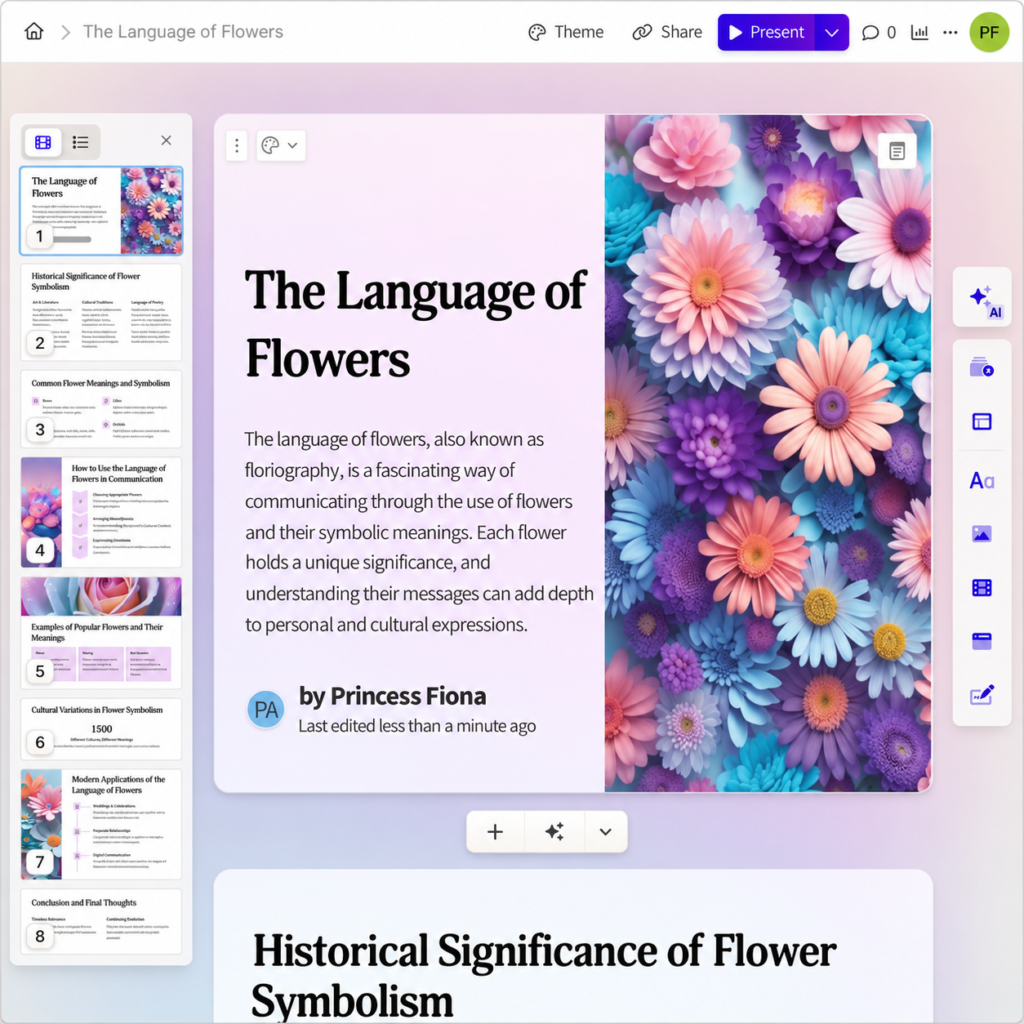
Gamma is designed to take an idea, outline or existing file and rapidly turn it into a visual presentation. Its content is organized into flexible cards, giving the result a more modern, web-like appearance than a traditional slide deck.
That approach is one of Gamma’s main strengths. You can move from a rough concept to something presentable without manually choosing a layout for every slide. Themes can be switched across the presentation, and Gamma can generate or reorganize content with AI.
Gamma is particularly useful for:
- Solo creators who need an attractive first draft quickly
- Educators creating visual lesson material
- Freelancers preparing proposals or explainers
- Founders sharing a deck through a link
- Users who do not want to design every slide manually
Gamma’s free plan currently allows up to 10 slides per prompt. It can import PDF and PPTX files and export to PDF, PPTX, PNG and Google Slides. The free plan does not require a credit card, although removing Gamma branding and accessing additional customization requires a paid plan. You can verify current limits on the official Gamma pricing page.
Where Gamma is strongest
Gamma removes much of the blank-page problem. It can generate both an outline and visual direction, making it suitable when speed matters more than precise control over every object.
Its web-native sharing is also valuable. Instead of emailing a large presentation file, you can share a link and let the presentation adapt more naturally to different screen sizes.
Where Gamma may not fit
Gamma is not simply PowerPoint with AI added. Its card-based presentation format is part of its identity. If a client expects a conventional corporate PowerPoint file that will be repeatedly edited by different employees, exporting introduces an additional step that must be checked carefully.
A PPTX export may be editable, but that does not guarantee that every font, visual or layout will behave exactly as it did inside Gamma. Important exported presentations should always be opened and reviewed in PowerPoint before delivery.
Gamma verdict
Choose Gamma when you want the fastest route from an idea to a visually polished, shareable presentation. Choose something else when native PowerPoint editing is more important than Gamma’s web-first experience.
If Gamma fits your workflow, our step-by-step guide explains how to use Gamma AI to create a presentation from a prompt, improve the generated outline and check the finished deck before sharing it.
Canva: Best for Templates and Creative Control
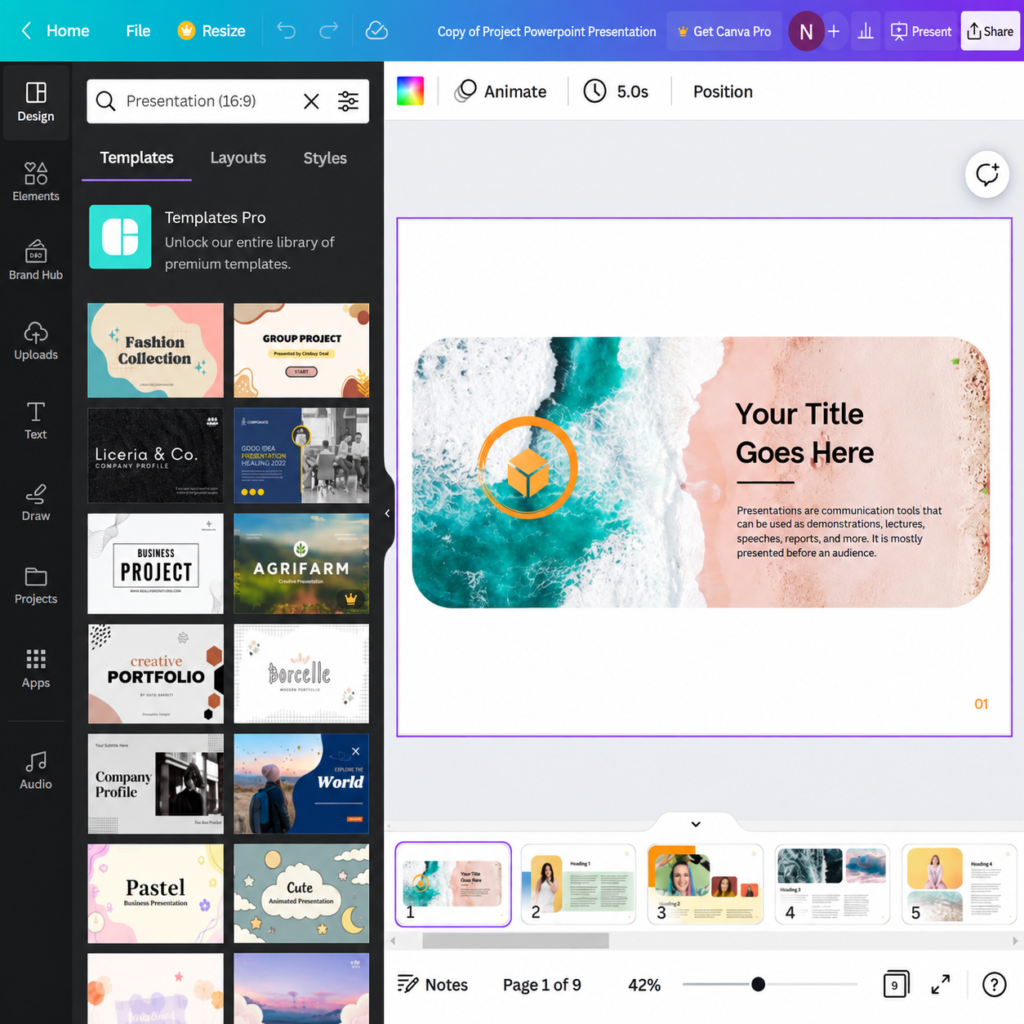
Canva’s AI presentation maker combines presentation generation with Canva’s broader visual-design platform. It can help generate a first draft, after which you can replace images, move elements, change fonts, apply animations and use Canva’s template and media libraries.
Canva is not only presentation software. It also supports documents, videos, social graphics, websites and other visual content. That makes it appealing to creators who want to reuse a presentation’s design in other formats.
Canva is especially useful for:
- Content creators already using Canva
- Small businesses producing multiple types of marketing material
- Students who want templates and simple editing
- Users who prefer manual visual control after AI generation
- Teams that need reusable brand assets
Canva’s free and paid limits
Canva offers a permanent free plan. At the time of our pricing check, the US free plan included up to 20 uses of Standard or Premium AI tools, although the number of completed tasks can vary with complexity.
Canva Pro was listed at $144 per year for one person, while Canva Business was $250 per person per year. Pro includes more AI access, premium content, five Brand Kits and 100GB of storage. Business adds collaboration controls, more branding capacity and a larger AI allowance. Check the official Canva pricing page before subscribing.
Where Canva is strongest
Canva provides more visual freedom than a tightly controlled presentation generator. If the AI draft is only the beginning and you expect to redesign slides yourself, Canva gives you a large collection of templates, stock media, icons, graphics and editing tools in one place.
It is also practical when a presentation must become several assets. The same visual direction can be reused for social posts, handouts, reports or promotional graphics without moving the project to another design platform.
Where Canva may not fit
Canva’s flexibility creates more decisions. A dedicated AI presentation tool may generate a more coherent first draft with less input, while Canva is often strongest when a person remains actively involved in the design process.
Its AI allowance is also shared across different AI features. Someone using Canva AI for images, writing, video and presentations may use the allowance faster than a person using it only for slide generation.
Canva verdict
Choose Canva when you value templates, media assets and hands-on design control more than fully automated presentation creation. It is particularly sensible if Canva already supports the rest of your content workflow.
Beautiful.ai: Best for Consistent Business Decks
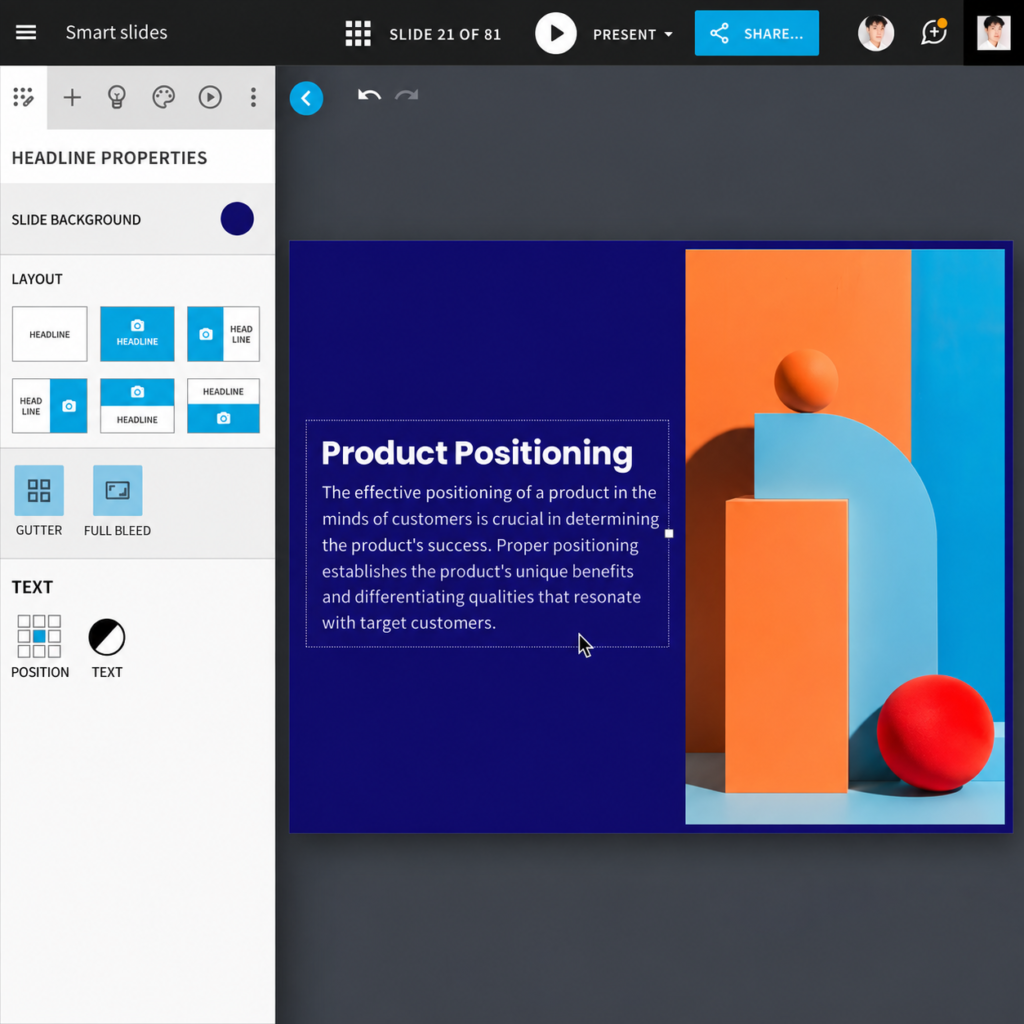
Beautiful.ai uses Smart Slides that automatically control alignment, spacing and the placement of content. Instead of manually nudging every object into position, you select a structured layout and let the slide adapt as information changes.
This makes Beautiful.ai attractive for business users who want polished slides without becoming presentation designers.
Beautiful.ai is best suited to:
- Sales and marketing teams
- Consultants producing repeatable client decks
- Businesses that need consistent branding
- Users who prefer structured layouts
- Teams maintaining shared slides and templates
Beautiful.ai pricing and trial
Beautiful.ai does not currently offer the same kind of permanent general free plan as Gamma or Canva.
Its Pro plan was listed at $14.50 per month when billed annually. A 14-day trial is available, but it requires a credit card and converts to a paid subscription unless cancelled before the trial ends.
The Pro plan includes AI content generation, more than 300 Smart Slide layouts, custom branding, analytics, PowerPoint import and editable PowerPoint export. Current conditions are available on the Beautiful.ai pricing page.
Where Beautiful.ai is strongest
The Smart Slide system reduces common formatting mistakes. Content stays aligned, spacing remains controlled and slides are less likely to become visually chaotic when information changes.
That is valuable for organizations where many employees create presentations but not everyone has strong design skills. Shared themes and controlled layouts can make decks from different departments feel like they belong to the same company.
Where Beautiful.ai may not fit
The same guardrails that keep slides tidy can feel restrictive when you want to move an element to an unusual position or create a highly customized layout.
Beautiful.ai is therefore better for people who want the software to enforce visual consistency than for designers who want complete freedom.
The lack of a permanent general free plan also makes it a more deliberate purchase. A user who needs only an occasional presentation may get more value from a free tool unless Beautiful.ai’s structured layouts save enough editing time to justify the subscription.
Beautiful.ai verdict
Choose Beautiful.ai when your priority is creating consistent, professional business presentations without manually formatting each slide. Avoid it if you dislike layout guardrails or only need occasional free access.
Plus AI: Best for PowerPoint and Google Slides
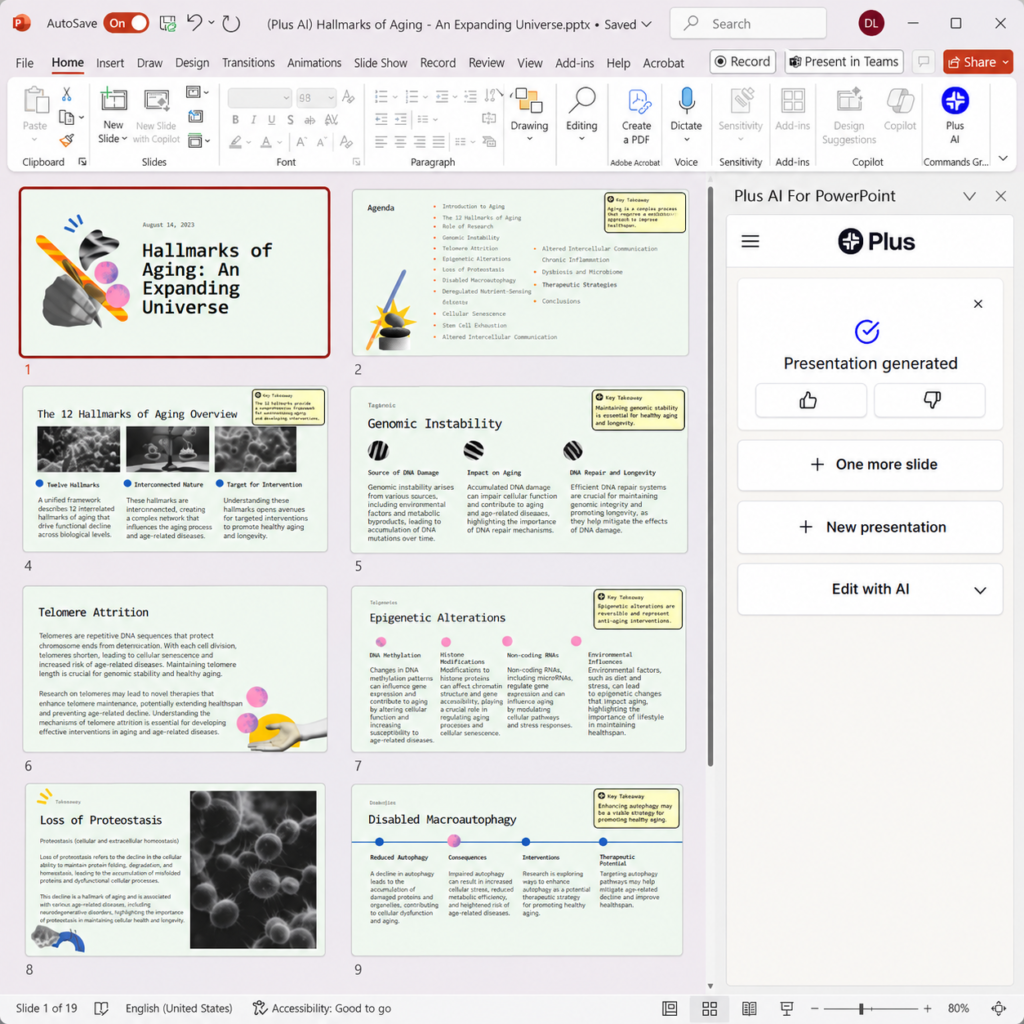
Plus AI takes a different approach from the other tools in this comparison. It works inside PowerPoint and Google Slides, allowing users to generate, insert, rewrite and reformat slides without moving the presentation into a separate editor.
This native workflow is its most important advantage.
Plus AI is particularly useful for:
- Consultants delivering PowerPoint files to clients
- Teams with existing PowerPoint templates
- Businesses working primarily in Google Workspace
- Users editing presentations created by other people
- Professionals who need individual slides rather than a completely new deck
Plus AI can generate an entire presentation, but it can also insert a single slide, rewrite existing text or remix a crowded slide into a different structure. That makes it useful after the first draft, not only at the beginning.
Plus AI pricing and trial
The Basic plan was listed at $10 per user per month when billed annually or $15 when billed monthly. It includes 1,500 AI credits per month and works in both PowerPoint and Google Slides.
The Pro plan was listed at $20 per user per month when billed annually or $25 when billed monthly. It adds document uploads, longer prompts, AI image generation and 3,000 monthly credits.
Plus AI offers a seven-day trial with 1,000 credits. A credit card is required, and the selected plan begins billing when the trial ends unless it is cancelled. Verify the latest terms on the Plus AI pricing page.
Where Plus AI is strongest
Plus AI avoids the awkward handoff between a separate AI presentation platform and the software in which the deck must ultimately be delivered.
The slides are created inside PowerPoint or Google Slides, so users can continue editing with familiar tools. This is especially important for client work, internal company presentations and decks that pass through several reviewers.
If your presentation begins as a meeting transcript, our guide to the best AI meeting notes generators can help you capture and organize the source material before converting it into slides.
Where Plus AI may not fit
Plus AI is less appealing if you want a completely separate, visually distinctive presentation experience. Its main advantage is compatibility with traditional slide software, not replacing that software.
The credit system also requires attention. Complete presentations and complex tasks can consume more credits than small edits, so frequent users should consider expected monthly usage instead of comparing subscription prices alone.
Plus AI verdict
Choose Plus AI when PowerPoint or Google Slides is the final destination. It is the most practical option here for users who need AI assistance without changing the presentation software their team already uses.
Which Tool Creates the Best First Draft?
Gamma has the clearest advantage when speed and visual impact are the main priorities. Its workflow is built around turning a prompt or outline into a complete, modern presentation with minimal setup.
Beautiful.ai is the stronger option when “best” means structurally consistent. Its layouts are less likely to become untidy, although they provide less freedom.
Canva works best when the generated draft is a foundation for manual design. It gives the user more visual assets and editing options, but that may require more decisions.
Plus AI’s value depends on the destination. A draft that is slightly less visually adventurous may still save more time if it is already editable inside the PowerPoint or Google Slides file your team needs.
The practical winner is therefore:
- Fastest visual starting point: Gamma
- Most creative control after generation: Canva
- Most consistent structured layouts: Beautiful.ai
- Most useful native office workflow: Plus AI
Which AI Presentation Maker Has the Best PowerPoint Workflow?
Plus AI has the most direct PowerPoint workflow because it creates and edits slides inside PowerPoint itself. There is no separate export stage between generation and continued editing.
Gamma, Canva and Beautiful.ai can all fit PowerPoint-based workflows, but exported files should be inspected before they are delivered. Fonts, animations, spacing and complex visual elements do not always transfer perfectly between presentation platforms.
An exported deck should be checked for:
- Shifted text boxes
- Missing or substituted fonts
- Cropped images
- Changed animations
- Elements that became flattened
- Charts that are no longer editable
- Incorrect line breaks
- Speaker notes or links that did not transfer
If PowerPoint delivery is non-negotiable, Plus AI is the safest starting choice among these four. If PowerPoint is optional, Gamma’s web presentation or Canva’s native presentation mode may provide a smoother experience.
Which Tool Offers the Best Branding Control?
Canva provides the broadest combination of brand assets and general design tools. It is useful when presentations must match social media graphics, documents and other marketing content.
Beautiful.ai is better when the goal is enforcing consistency across multiple team members. Its structured layouts and shared themes reduce the opportunity for individual users to break the brand’s visual rules.
Gamma supports themes and offers additional custom-branding controls on higher plans. It is suitable for quickly applying a cohesive visual direction, although it remains a Gamma-centered workflow.
Plus AI supports custom branding on its Team plan. Organizations that want Plus AI to use their actual slide masters and established presentation templates may need an Enterprise arrangement.
Free Plans, Trials and Real Limits
The word “free” means something different for each product.
Gamma has a permanent free plan with up to 10 slides per prompt, imports and multiple export formats. Paid plans remove Gamma branding and unlock additional capabilities.
Canva also has a permanent free plan, but AI usage is limited and shared across eligible AI tools. Its free design editor remains useful even after the AI allowance is exhausted.
Beautiful.ai offers a 14-day trial rather than a permanent general free plan. The trial requires a credit card.
Plus AI offers a seven-day trial with 1,000 credits. It also requires a credit card.
For occasional use without entering payment details, Gamma and Canva are the safer starting options. For a professional workflow, compare the time saved after generation rather than choosing only by the lowest advertised price.
Best AI Presentation Maker by User
Best for students
Canva is the easiest general recommendation for students who want free access, templates and manual editing. Gamma is better when a student needs to turn an outline into an attractive deck quickly.
Students should still verify every factual statement and citation produced by AI. A polished slide can contain incorrect information just as easily as an unattractive one.
Best for freelancers
Gamma works well for rapidly creating client proposals, visual explainers and presentations shared through a link. Canva is better when a freelancer also creates marketing graphics and branded content.
Plus AI becomes the stronger choice when the client expects an editable PowerPoint file.
Best for small businesses
Canva offers the most versatile collection of visual-content tools. A small business can use one platform for presentations, social content and other marketing materials.
Beautiful.ai may offer more value when several employees regularly create client-facing business decks and consistency is a recurring problem.
Best for consultants
Plus AI is the practical choice for consultants who exchange PowerPoint files with clients. Beautiful.ai is worth considering when the consultant controls the entire presentation workflow and wants consistent layouts with less manual formatting.
Best for teams
Beautiful.ai is strongest for layout consistency and shared presentation systems. Canva is stronger for teams creating many different types of branded visual content. Plus AI fits organizations already standardized on PowerPoint or Google Slides.
Teams combining presentations with calendars, meetings and task planning may also benefit from our comparison of the best AI scheduling assistants.
Which AI Presentation Maker Should You Choose?
Choose based on where the presentation must end—not only on how it begins.
Use Gamma if you want to generate a visually strong presentation quickly and are happy to share it through Gamma, PDF or a carefully checked export.
Use Canva if you want AI assistance but still expect to make detailed visual decisions yourself. It provides the strongest all-in-one environment for presentations and related marketing content.
Use Beautiful.ai if consistent business design is more important than unrestricted editing. Its Smart Slides are built to prevent common alignment and formatting problems.
Use Plus AI if the final deck must live in PowerPoint or Google Slides. Its native workflow can save more time than generating an impressive deck elsewhere and repairing it after export.
For most people wanting the quickest AI-generated first draft, Gamma is the best place to start. For professional PowerPoint workflows, Plus AI is the better fit.
The right tool is the one that reduces the complete workload: planning, generating, correcting, branding, collaborating and delivering—not merely the first few minutes of slide creation.
Frequently Asked Questions
What is the best AI presentation maker overall?
Gamma is the best starting choice for quickly generating a visually polished presentation. Canva is better for manual design control, Beautiful.ai for consistent business layouts and Plus AI for native PowerPoint or Google Slides work.
Is Gamma better than Canva for presentations?
Gamma is better when you want AI to create most of the initial presentation. Canva is better when you want a large template library and more control over the design after generation.
Is Beautiful.ai free?
Beautiful.ai currently offers a 14-day trial rather than a permanent general free plan. The trial requires a credit card and becomes paid unless cancelled before it ends.
Which AI presentation maker works inside PowerPoint?
Plus AI works directly inside PowerPoint and Google Slides. This allows users to generate and edit slides without exporting from a separate presentation platform.
Can Gamma export to PowerPoint?
Yes. Gamma’s current free plan supports PPTX export as well as PDF, PNG and Google Slides export. Important files should still be inspected in PowerPoint for layout or formatting changes.
Which AI presentation maker is best for students?
Canva is a strong choice for students who want templates and free design tools. Gamma is better for creating a complete visual draft quickly. Students should fact-check all AI-generated content before presenting it.
Which tool is best for branded business presentations?
Beautiful.ai is strong for maintaining consistent structured layouts across a team. Canva provides broader brand and creative tools, while Plus AI is more suitable when an organization already uses branded PowerPoint templates.
Can AI create an entire presentation from a document?
Yes. The exact input options depend on the product and plan. Gamma can import PDF and PPTX files, while Plus AI’s Pro plan accepts PDF, DOCX and TXT documents. Regardless of the tool, review the outline and factual claims before presenting them.
Features and US prices were checked in September, 2026 using the official Gamma, Canva, Beautiful.ai and Plus AI websites.