A proposal can look polished and still leave your client wondering what to do next.
They read the scope. They agree with the price. Then they have to download a PDF, email their approval, wait for a separate contract and open another link to pay the deposit.
Every extra step creates another opportunity for the project to stall.
The best proposal software for freelancers reduces that friction. It helps you present the work clearly, collect an electronic signature and move the client toward payment without creating a confusing chain of documents and emails.
However, not every tool that advertises “payments” handles them in the same way.
Some let the client sign and pay directly from the proposal. Others turn an accepted proposal into a contract or invoice. A few include e-signatures on an affordable plan but reserve payment collection for a more expensive tier.
This guide compares six carefully selected tools based on those differences—not simply on which company has the longest feature list.
Research note: These recommendations are based on current official product documentation, pricing pages and publicly available user feedback. Tool Sphera has not claimed hands-on testing that did not take place. Pricing and features were checked in September 2026 and may change.
Table of Contents
What Is the Best Proposal Software for Freelancers?
Better Proposals is the best overall choice for most freelancers who want dedicated proposal software with electronic signatures and payments inside the document. Prospero is the stronger budget option, while Moxie and Bonsai are better for freelancers who want proposals connected to wider business management.
Here is the short version:
- Better Proposals: Best overall for sending, tracking, signing and taking payment from proposals.
- Prospero: Best affordable dedicated proposal tool with unlimited proposals.
- Moxie: Best low-cost all-in-one freelance business system.
- Bonsai: Best for managing the complete client and project lifecycle.
- HoneyBook: Best for US-based creative and service businesses wanting clients to sign and pay from one file.
- PandaDoc: Best free starting point for limited e-signatures and document-heavy workflows.
The right answer depends on more than price. A $10 plan is not good value if it does not support the step you actually need.
Proposal Software for Freelancers With Payment Integration Compared
| Tool | Best For | Starting Proposal-Capable Price | E-Signatures | Payment Collection | Most Important Limit |
|---|---|---|---|---|---|
| Better Proposals | A dedicated proposal-to-payment workflow | $13/month billed annually or $19 monthly | Yes | Clients can pay from the document through Stripe, PayPal or GoCardless | Starter is limited to 10 document sends per month |
| Prospero | Affordable dedicated proposal software with unlimited proposals | From $12/month billed annually or $19 monthly | Yes | Connects with Stripe and accounting platforms | It is not a complete project-management system |
| Moxie | Low-cost all-in-one freelance business management | $10/month billed annually or $12 monthly | Yes | Connects proposals with contracts, invoices and payments | Payment is part of the wider workflow rather than a focused proposal checkout |
| Bonsai | End-to-end client and project management | Essentials: $19/month annually or $25 monthly | Yes | Proposal, contract, deposit and invoice workflow | The cheaper Basic plan excludes proposals, invoices and payments |
| HoneyBook | Creative and service businesses in supported countries | Starter: $29/month billed annually | Yes | Clients can select services, sign and pay from one file | Limited regional availability and separate payment-processing fees |
| PandaDoc | Free e-signatures and document-heavy workflows | Free for five documents monthly | Yes | Payment availability depends on the selected plan and integration | Advanced proposal workflows may require a paid plan |
Prices do not include taxes, payment-processing charges or optional add-ons. Pricing and features were checked in September 2026. Confirm the current plan before subscribing.
Proposal vs Contract vs Invoice: What Does Each One Do?
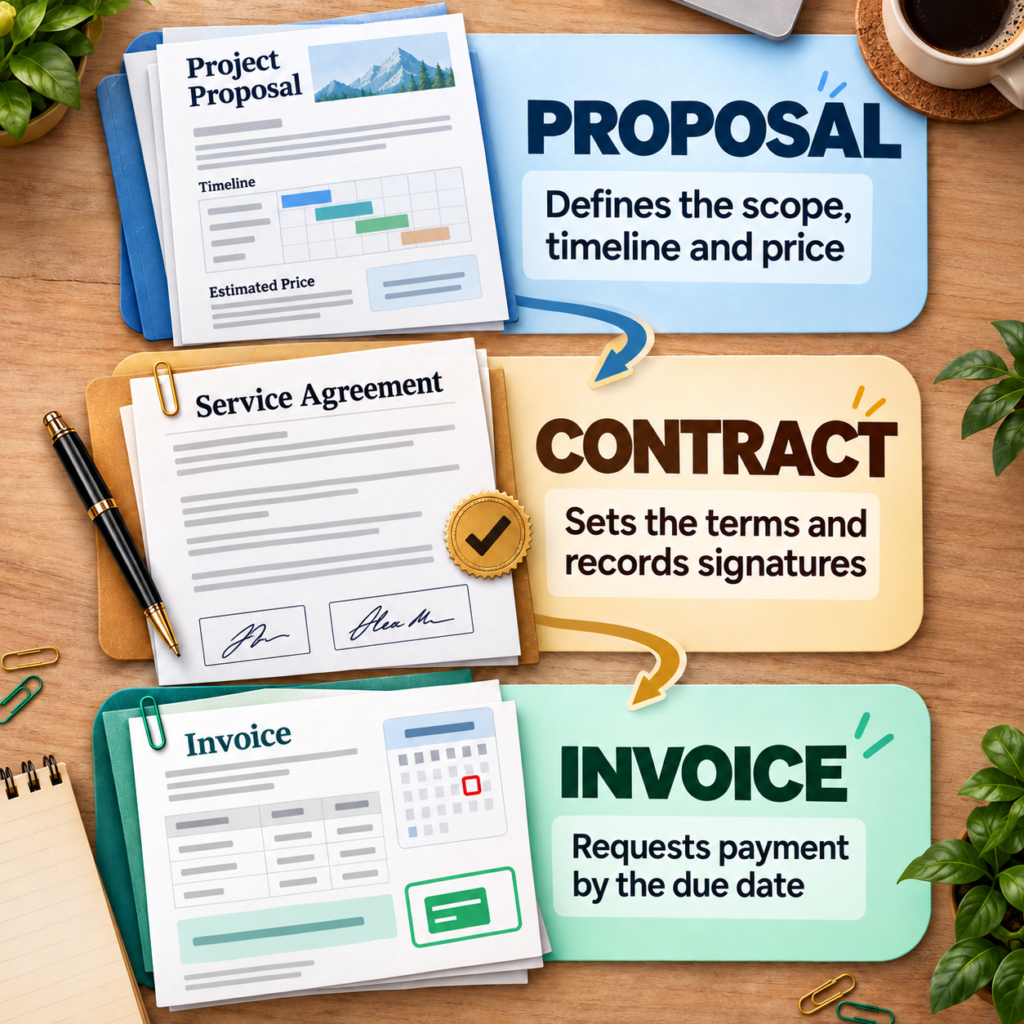
A proposal explains what you plan to do and why the client should hire you. A contract records the obligations both sides are agreeing to. An invoice requests payment.
They can be combined into one digital workflow, but they do not automatically serve the same purpose.
Proposal
A freelance proposal normally covers:
- the client’s problem or goal;
- your recommended approach;
- project scope and deliverables;
- timeline;
- price and optional packages;
- relevant proof;
- the next step.
Its primary purpose is to help the client make a decision.
Contract
A contract defines the working relationship more formally. It may cover payment timing, revision limits, cancellation, intellectual property, confidentiality, responsibilities and dispute handling.
A signed proposal may form a binding agreement if it contains the necessary terms, but that depends on its wording and the applicable law. Do not assume that adding an e-signature box turns an incomplete proposal into adequate legal protection.
For high-value or legally sensitive projects, have your agreement reviewed by an appropriately qualified professional in your jurisdiction.
Invoice
An invoice tells the client how much is due, what they are paying for, when payment is expected and how they can pay.
Some proposal tools collect a deposit directly. Others create or trigger an invoice after the contract is signed. If invoicing is the larger problem in your business, compare Tool Sphera’s guide to the best invoicing software for freelancers before paying for a proposal-only platform.
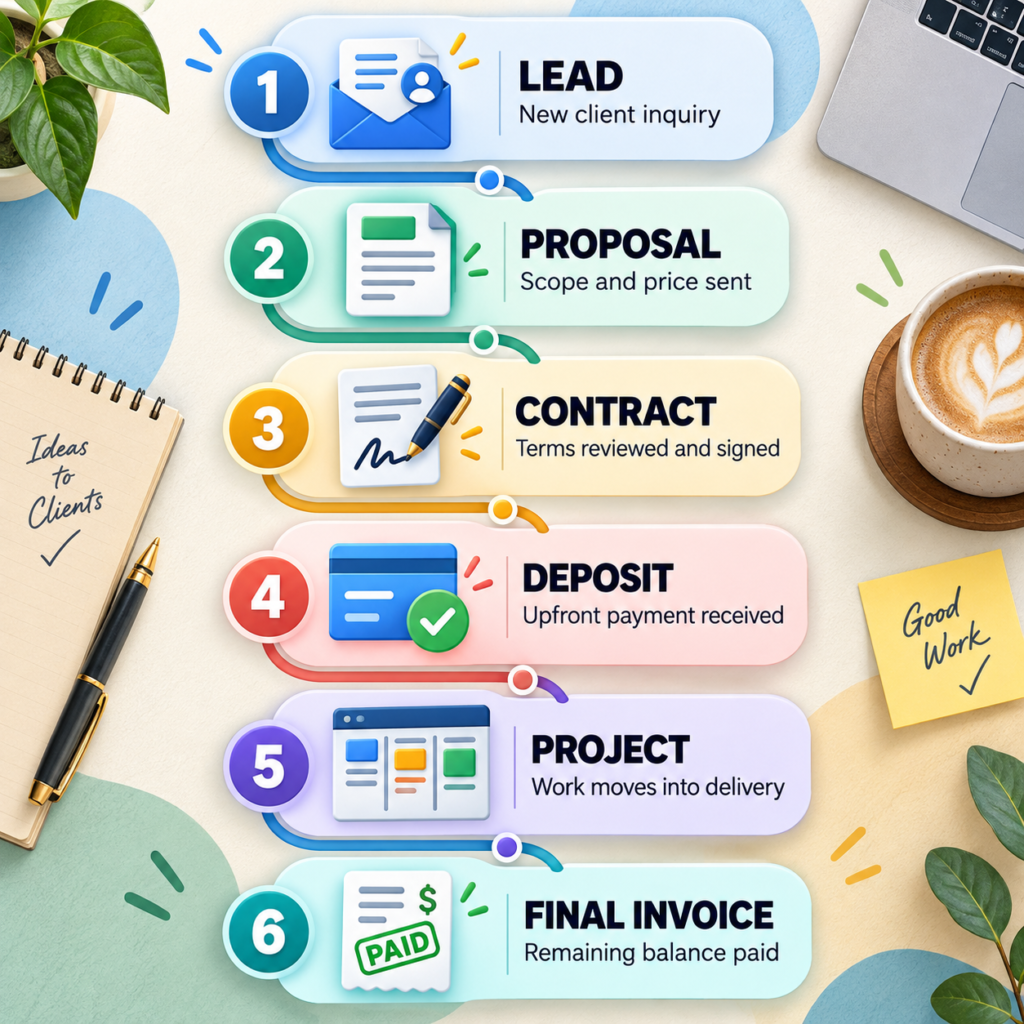
A sensible freelance workflow often looks like this:
Proposal → acceptance → contract or signed agreement → deposit → project → final invoice
The software should support your workflow rather than forcing you into a more complicated one.
The 6 Best Proposal Software Tools for Freelancers
1. Better Proposals — Best Overall Proposal Software for Freelancers
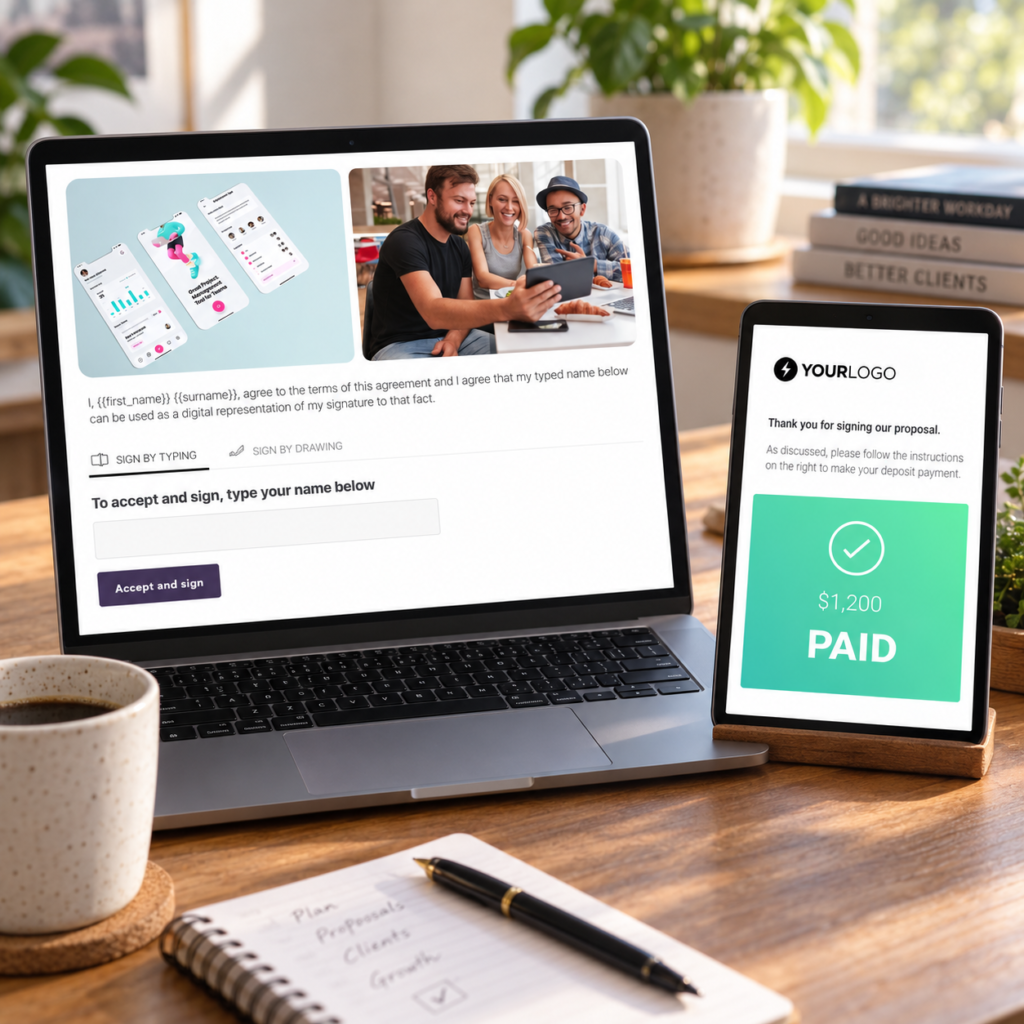
Better Proposals earns the top position because its entry plan covers the three capabilities central to this comparison: professional proposals, legally binding electronic signatures and payment collection.
The Starter plan costs $13 per user per month when billed annually or $19 when paid monthly. It includes interactive pricing tables, a content library, document analytics, payment integrations and up to 10 document sends per month. A 14-day trial is available without a credit card.
Better Proposals connects with Stripe, PayPal and GoCardless, allowing a freelancer to request payment directly from a document. Its proposals are responsive, so clients can review and accept them on a phone without downloading a PDF.
See the official Better Proposals pricing page for current plan details.
Why it earns first place
Better Proposals is focused on the moment between presenting an offer and closing the project. It does not require a freelancer to buy a large project-management system merely to create a professional client experience.
Interactive pricing is particularly useful if you offer choices such as:
- basic, standard and premium packages;
- optional maintenance;
- expedited delivery;
- additional pages or deliverables;
- recurring support.
The client can see how their selections change the total instead of asking you to calculate a revised quote manually.
The real limit
Starter allows only 10 document sends each month and one user seat. That may be enough for a solo freelancer sending targeted proposals, but it is restrictive for someone handling many leads or sending several document types.
Removing Better Proposals branding and using a custom domain also require a higher plan.
Choose Better Proposals if: You want a dedicated, polished proposal-to-signature-and-payment workflow.
Skip it if: You regularly send more than 10 documents monthly or want proposals, accounting, projects and scheduling in one inexpensive system.
2. Prospero — Best Budget Dedicated Proposal Software
Prospero is a strong choice for freelancers who want dedicated proposal software without a small monthly proposal allowance.
Its individual plan costs $19 when paid monthly and starts from approximately $12 per month with annual billing. It includes unlimited proposals, templates, electronic acceptance, proposal analytics, automated reminders, an interactive pricing module and integrations with services such as Stripe, QuickBooks, FreshBooks, Xero, Make and Zapier.
Check the latest terms on the official Prospero pricing page.
Why freelancers may prefer it
Prospero’s biggest advantage is straightforward value.
Better Proposals provides a particularly polished payment experience, but its Starter plan has a 10-send monthly limit. Prospero lets a freelancer create and send unlimited proposals on its main individual plan.
That makes Prospero more attractive if you:
- send proposals frequently;
- want reusable content and templates;
- need automatic reminders;
- want to track when a prospect opens a proposal;
- do not need a complete project-management platform.
The proposal analytics can also make follow-up more informed. Knowing that a prospect has viewed a proposal is more useful than repeatedly asking whether they received the PDF.
The real limit
Prospero is primarily a proposal platform. Integrations can connect it with payment and accounting tools, but it does not replace a complete freelance operating system.
Its generative AI assistant may help with a starting draft, but it should not be used to produce generic proposals at scale. Clients often recognise writing that says a great deal without showing that the freelancer understands the actual project.
Choose Prospero if: You want affordable, unlimited proposals and do not need project management inside the same app.
Skip it if: You want one platform to manage leads, contracts, tasks, time, expenses and invoices after the proposal is accepted.
3. Moxie — Best Low-Cost All-in-One System for Freelancers
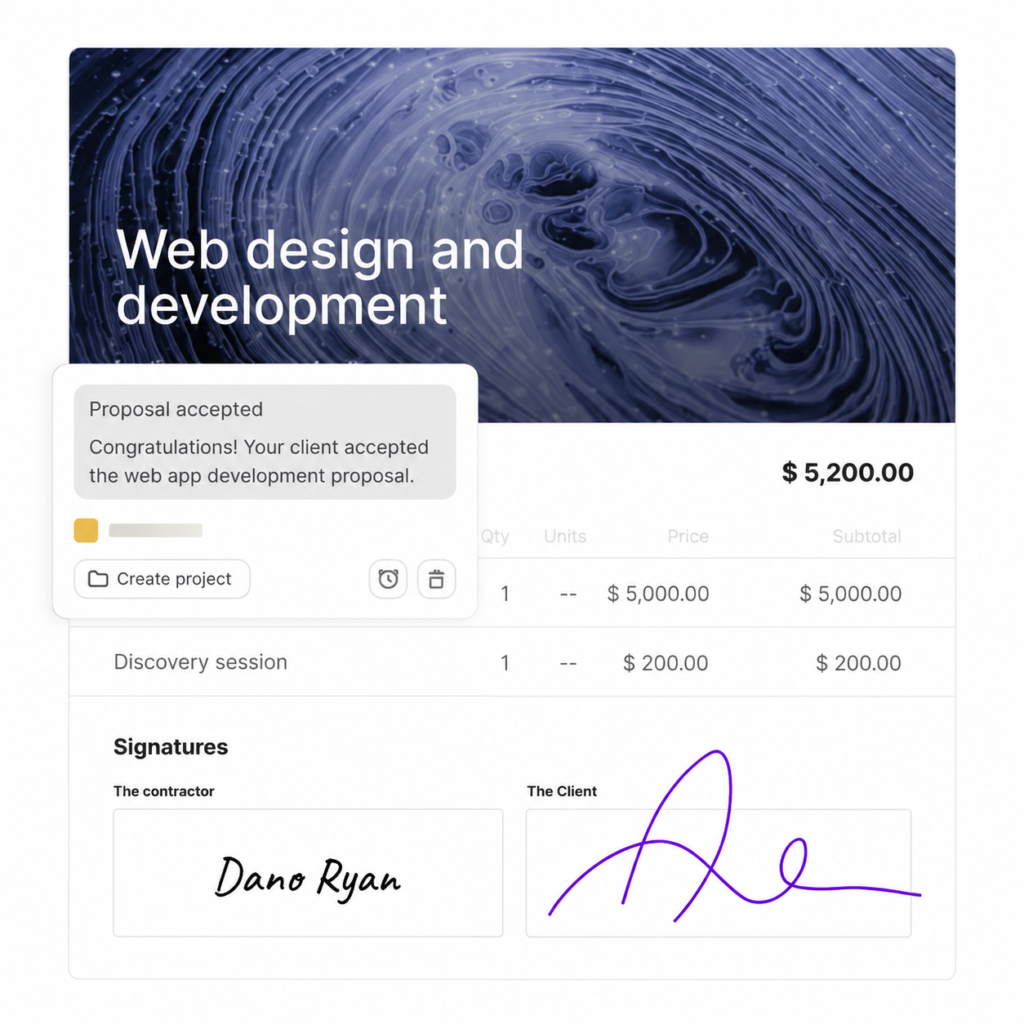
Moxie takes a broader approach. Proposals are only one part of a system that also includes contracts, invoices, payments, client management, projects, time tracking, a sales pipeline, basic accounting, forms and scheduling.
The Starter plan currently costs $10 per month when billed annually or $12 when paid monthly. That makes it cheaper than several dedicated proposal products despite covering more of the freelance workflow.
You can verify the included features on the official Moxie pricing page.
Why it stands out
Moxie is designed around a freelancer’s working day rather than a sales team’s document process.
A client can move through a connected sequence:
Lead → proposal → contract → project → invoice → payment
Moxie supports electronic signatures on contracts, and its proposal and contract tools can be connected to the client and project record. Once the work begins, you can manage deadlines, time and deliverables in the same system.
If you prefer specialist software for each stage, that breadth may not matter. If you are tired of copying the same client information between five apps, it can matter a great deal.
After a client accepts, you can organise delivery using dedicated project management software for freelancers or continue managing the project inside Moxie.
The real limit
Moxie’s payment experience is part of the wider invoicing workflow rather than the same focused “sign and pay inside this proposal” experience offered by Better Proposals or HoneyBook.
The Starter plan also retains Moxie branding in parts of the client experience. A custom domain, white-labelled client portal and workflow automations require the Pro plan.
Choose Moxie if: You want affordable proposal and contract software connected to the rest of your freelance business.
Skip it if: Your only priority is creating highly polished sales proposals with advanced proposal analytics.
4. Bonsai — Best for the Complete Client and Project Lifecycle
Bonsai brings proposals, contracts, invoices, payments, forms, scheduling, client management, projects, time tracking, expenses and reporting together.
However, the advertised entry price can be misleading for someone specifically searching for proposal software.
The $15 monthly Basic plan—or $9 monthly with annual billing—includes project and task management, time tracking and CRM features. It does not include the proposal, contract, invoice and payment workflow needed for this comparison.
For those features, a freelancer needs Essentials. It costs $25 per user monthly or $19 per user per month when billed annually, according to the official Bonsai pricing page.
Why it earns a place
Bonsai makes sense when the proposal is the beginning of a longer system.
You can create a proposal, prepare a contract, request an upfront payment, manage the work, track expenses and invoice the remaining balance without assembling a collection of disconnected tools.
That is useful for freelancers who have moved beyond occasional projects and need clearer visibility across several active clients.
Bonsai can also help separate the sales decision from the legal and financial steps. Instead of forcing one document to do everything, the workflow can move the client from proposal to contract and then to the required deposit.
The real limit
The real starting price for the relevant workflow is Essentials—not Basic.
Bonsai is also broader and more expensive than necessary if you already have reliable systems for invoicing, task management and accounting.
Choose Bonsai if: You want one structured platform covering the client relationship from proposal to project reporting.
Skip it if: You need only a proposal builder or are choosing mainly on the lowest monthly cost.
5. HoneyBook — Best for US Creative and Service Businesses
HoneyBook is built for independent service businesses that want proposals connected to booking, contracts, scheduling, payments and client management.
Its Starter plan costs $29 per month when billed annually. It includes unlimited clients and projects, proposals, contracts, invoices, payments, templates and a client portal.
HoneyBook’s proposal workflow lets a client review services, make selections, sign and pay from one file. That makes it particularly suitable for photographers, designers, consultants, event professionals and other service providers whose proposal is also part of a booking process.
The current features and payment charges are listed on the official HoneyBook pricing page.
Why it may be worth the higher price
HoneyBook reduces the number of links and files a client has to manage.
Instead of sending a service guide, proposal, contract and payment request separately, a freelancer can create a more connected experience. The platform also tracks client and project information after booking.
Its built-in card and bank-transfer payments remove the need to configure a separate Stripe or PayPal integration. That convenience comes with payment-processing charges, which should be included in your pricing calculations.
Before deciding what you can afford to absorb, calculate a sustainable freelance rate that accounts for software, payment fees, non-billable work and taxes.
The real limit
HoneyBook currently supports business owners in a limited selection of countries. Its pricing page lists the United States, Canada, the United Kingdom and Australia, although availability information should be confirmed during sign-up.
That makes it unsuitable for many freelancers who live outside supported regions, even if their clients are based in the US.
The Starter plan also includes HoneyBook branding. Removing it and gaining broader automations requires Essentials, currently $49 per month when billed annually.
Choose HoneyBook if: You operate from a supported country and want a polished booking, signing and payment experience.
Skip it if: HoneyBook does not support your business location or you need inexpensive proposal software without a larger CRM.
6. PandaDoc — Best Free Starting Point for E-Signatures
PandaDoc offers a genuine free option for freelancers who primarily need to create documents and collect electronic signatures.
The Free plan supports up to 60 documents per year—effectively five per month—and includes a drag-and-drop editor, legally binding electronic signatures, tracking and notifications.
The Starter plan costs $19 per seat per month when billed annually and removes the five-document monthly limit. However, PandaDoc positions its $49-per-seat Business plan as the option for sales proposals and integrated agreement workflows.
See the complete differences on the official PandaDoc pricing page.
Why the free plan matters
A freelancer sending only a few agreements each month may not need paid proposal software immediately.
PandaDoc’s free plan can provide a more organised signing experience than asking a client to print, sign, scan and return a PDF. It also provides tracking, which helps confirm whether the document has been opened.
PandaDoc supports payment gateways including Stripe, PayPal, Square, Authorize.net, QuickBooks Payments and FreshBooks. However, payment collection and advanced proposal features should be checked against the plan you intend to buy rather than assumed to be included with Free.
PandaDoc also has a much larger public review footprint than many small proposal applications. Its own pricing page displayed thousands of G2 reviews when this guide was checked. That does not guarantee it will suit a solo freelancer, but it gives buyers more independent user experiences to investigate.
The real limit
Free is a useful e-signature starting point—not a promise of a complete free proposal-to-payment system.
The paid plans are priced per seat and PandaDoc is built for broader document and sales workflows. A solo freelancer may find it heavier than Prospero or Better Proposals.
Choose PandaDoc if: You send no more than five documents monthly or need a mature document and e-signature platform.
Skip it if: You want the simplest inexpensive proposal tool specifically designed for solo freelancers.
Which Proposal Software Fits Your Freelance Workflow?
The best tool is the one that removes a real bottleneck. Use these four questions to narrow the choice.
How many proposals do you send?
If you send fewer than five documents monthly, PandaDoc Free may be sufficient.
If you send six to ten, Better Proposals Starter becomes practical if its direct signing and payment workflow matters.
If you send proposals frequently, Prospero’s unlimited allowance offers more room without requiring a higher plan.
Do you need payment inside the proposal?
Choose Better Proposals if you specifically want a dedicated proposal with signing and integrated payment collection.
Choose HoneyBook if you want the proposal to work as part of a broader booking experience where the client can select services, sign and pay from one file.
Moxie and Bonsai are better when you are comfortable moving the accepted proposal into a connected contract, deposit or invoice workflow.
Do you want a dedicated tool or an all-in-one platform?
Choose Prospero or Better Proposals when proposals are the main problem.
Choose Moxie when affordability and broad freelance management matter.
Choose Bonsai when you want deeper project and business management and can justify the higher required tier.
Choose HoneyBook when the client experience includes inquiries, booking, scheduling and payment—not just sending documents.
Are you working alone or building a team?
A solo freelancer should pay close attention to per-seat pricing. A tool that appears affordable for one person can become expensive after adding an assistant, salesperson or project manager.
Team permissions, approval workflows and shared content may eventually matter, but they should not determine your purchase while you are still operating alone.
When Free or Manual Proposal Tools Are Enough
Not every freelancer needs proposal software.
A well-structured Google Doc, Canva document or Notion page may be enough if:
- you send only occasional proposals;
- every project is highly customised;
- clients do not need to select packages;
- you already use separate contract and invoicing tools;
- you do not need document analytics;
- the cost of software is difficult to justify.
This manual approach is not automatically unprofessional. The quality of your thinking matters more than the number of animations in the proposal.
A clear proposal that understands the client’s problem will usually be more persuasive than a beautiful template filled with generic language.
Manual documents become less effective when you repeatedly copy the same sections, lose track of versions, chase signatures, forget follow-ups or make clients move through too many separate steps.
That is the point at which proposal software starts paying for itself—not because it makes you look more successful, but because it removes avoidable administrative work.
What Should a Freelance Proposal Include?
Software cannot rescue a weak offer. Before sending your proposal, check that it includes the information a client actually needs to make a decision.
The client’s goal
Begin with the outcome the client wants. Show that you understand the problem before describing your own process.
Scope and deliverables
State exactly what is included. If you are building a website, clarify the number of pages, revisions, integrations and content responsibilities.
Also identify important exclusions. Unclear exclusions are a common cause of scope creep.
Timeline and responsibilities
Include the expected start date, milestones and delivery date. Explain what you need from the client and how delays in feedback or materials affect the schedule.
Price and payment schedule
Show the total price, deposit, milestones and final-payment timing. If you offer packages, explain the meaningful difference between them rather than creating artificial tiers.
Relevant proof
Use one or two examples that resemble the client’s project. A large collection of unrelated work creates more effort for the reader.
If you have not completed paid work yet, learn how to create a freelance portfolio with no experience without inventing clients, testimonials or results.
Revision and change process
Explain how many revision rounds are included and what happens if the client asks for work outside the approved scope.
A clear next step
The client should not have to ask how to proceed. End with one obvious action: approve the proposal, sign the agreement, pay the deposit or schedule a final call.
If you are still trying to turn outreach into a genuine opportunity, Tool Sphera’s guide to getting your first freelance client covers the steps that come before the proposal.
Proposal Software We Did Not Select
Leaving a tool out does not necessarily mean it is poor software. It means its current combination of price, limits and workflow did not earn one of the six main positions.
Nusii
Nusii provides attractive proposals and e-signatures, but its Freelancer plan currently limits users to five active proposals and does not include payments. Payments begin on its more expensive Agency tier.
That plan boundary weakens its value for a solo freelancer specifically searching for proposal software with payment integration.
Proposify
Proposify offers professional templates, e-signatures, reusable content and tracking. Its entry plan is limited to 10 sends monthly, while much of its positioning and feature structure is better suited to sales teams.
Qwilr
Qwilr creates visually impressive web-based proposals and offers QwilrPay, but it is positioned more toward sales organisations than cost-conscious solo freelancers. It may still be worth considering when presentation quality is more important than having the simplest freelance workflow.
Final Verdict
Better Proposals is the best proposal software for most freelancers who want to create a polished proposal, collect an electronic signature and give the client a direct path to payment.
Prospero is the better value when unlimited proposals and a lower annual price matter more than having the strongest all-in-one signing and payment experience.
Moxie is the most compelling low-cost option for freelancers who want proposals, contracts, invoices, projects and time tracking together. Bonsai provides a more structured end-to-end system, but you need the Essentials plan—not the cheaper Basic tier—to access the relevant proposal and payment features.
HoneyBook is a strong choice for supported creative and service businesses that want clients to book, sign and pay from one file. PandaDoc Free is the sensible starting point when you send no more than five documents per month and mainly need reliable electronic signatures.
Do not choose the platform with the longest feature list.
Choose the one that fixes the exact point where your current process breaks:
- creating the proposal;
- getting it signed;
- collecting the deposit;
- or moving the accepted work into a manageable project.
Frequently Asked Questions
What is the best proposal software for freelancers?
Better Proposals is the best overall option for freelancers who need polished proposals, electronic signatures and integrated payments. Prospero is better for affordable unlimited proposals, while Moxie is better for freelancers who want proposals connected to invoicing and project management.
Is there free proposal software for freelancers?
PandaDoc offers a free plan with up to five documents and legally binding electronic signatures per month. Google Docs, Canva and Notion can also be used to create proposals manually, although they do not provide the same combined tracking, signing and payment workflow.
Which proposal software lets clients sign and pay?
Better Proposals allows clients to sign documents and pay through integrations with Stripe, PayPal and GoCardless. HoneyBook lets supported businesses create proposals through which clients can select services, sign and pay from one file.
What is the cheapest proposal software for freelancers?
Moxie Starter costs $10 per month with annual billing and includes proposals, contracts, invoices, payments and project tools. Prospero starts from approximately $12 per month annually and is the more focused choice for unlimited proposal creation.
Do I need both a proposal and a contract?
A proposal and contract serve different purposes. The proposal explains the recommended work and price, while the contract defines the parties’ obligations and protections. They can sometimes be combined, but freelancers should not assume that a short accepted proposal contains every term their project requires.
Can a freelance proposal be legally binding?
A proposal may become legally binding if it contains the necessary terms and shows clear agreement, including through an accepted electronic signature. The result depends on the document and applicable law, so high-value or complex agreements should be reviewed professionally.
Should I collect a deposit with my proposal?
Collecting a deposit before beginning work can confirm the client’s commitment and reduce payment risk. The proposal should state the required amount, when it is due and whether work begins only after the related agreement is signed and the payment has cleared.
Is proposal software worth paying for?
Proposal software is worth considering when you frequently recreate documents, chase signatures, lose track of follow-ups or make clients move through several disconnected steps. If you send only a few simple proposals and already have reliable contract and invoicing tools, a manual document may be enough.